If you want to know how to get more studies on UserCrowd, the answer isn’t luck. I’ve completed 135 paid tests on UserCrowd since 2021, and my tester rating is 4.8 out of 5.
People always say UserCrowd never has tests. That’s not what my inbox shows. From September 23 to October 9, 2026, UserCrowd emailed me at least 55 tests worth $88.80. That’s more than the $78.60 I’ve made on UserCrowd in total.
On October 8 alone, I got 12 test emails:
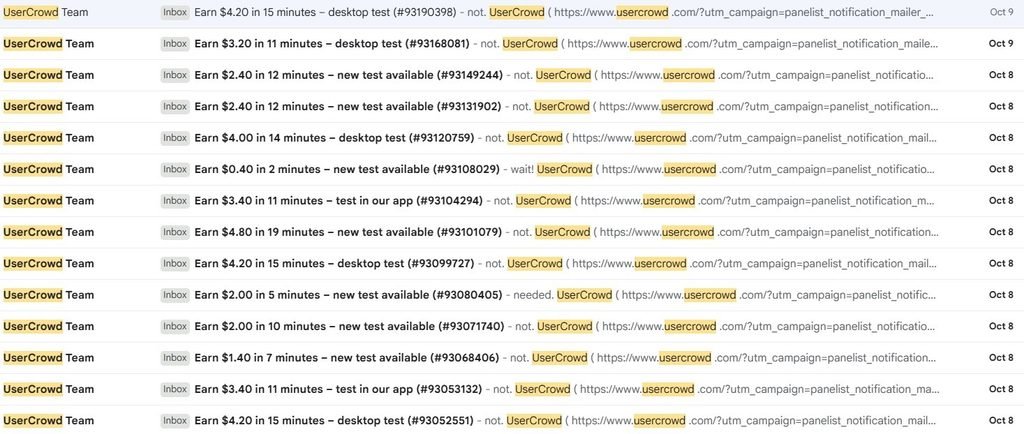
The tests are there. The trick is matching more of them and getting there first. Here’s exactly what I do.
Table of Contents
Why You’re Not Getting Studies on UserCrowd
Researchers on UserCrowd target specific people: by age, location, job, shopping habits, the tech you use, and more. If UserCrowd doesn’t know those details about you, you won’t match, and you’ll never see those tests.
Two more things work against you:
- Tests close fast. A test closes as soon as it gets enough responses, so you can get an email and still miss it.
- Higher-rated testers come first. UserCrowd assigns more tests to higher-rated testers.
So getting more studies comes down to three things: matching more filters, being there first, and keeping your rating high.
How to Get More Studies on UserCrowd: 10 Tips
1. Complete Every Profile Section
This is the biggest one. UserCrowd’s profile has 6 sections, and I’ve completed all of them:
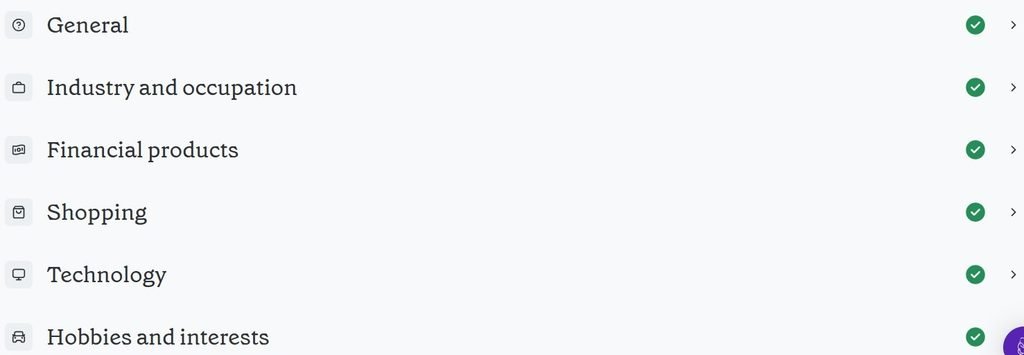
It makes a real difference. After I filled out the Shopping section, I got a test about shopping. Every section you skip is a group of tests you’ll never see.
2. Keep Your Profile Updated
Your profile should match your life right now. When I graduated, I updated mine right away. If you change jobs, move, or start using a new phone, update it so you keep matching the right tests.
3. Set Your Availability to 24/7
UserCrowd asks when you’re available to take tests. I set mine to every day, 00:00 to 24:00, when I first joined:
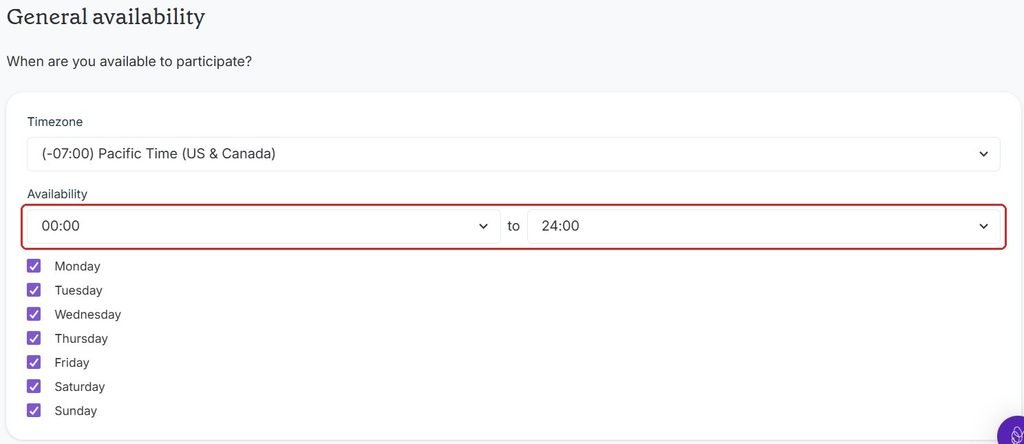
If you only set a few hours, you’ll only get tests during those hours. With 24/7, I was getting test emails all the time.
4. Turn On All Three Study Types
In your preferences, you choose which study types you want to hear about: tests, tests with recordings, and interviews. I have all three turned on:
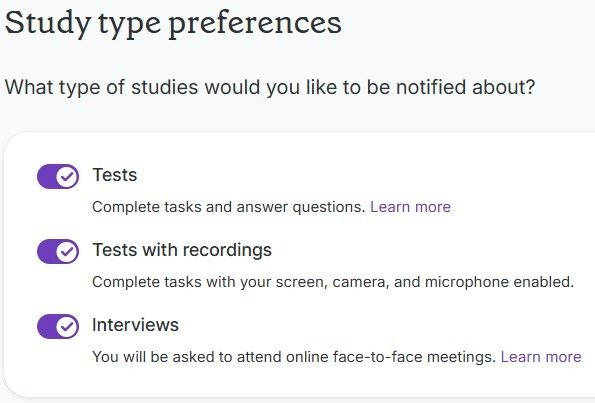
Even if you only plan to do plain tests like me, leaving the others on means you’ll see the higher-paying options too. You can always skip them.
5. Turn On Email Notifications and Test Reminders
UserCrowd emails you whenever a new test is available. Each email shows the pay, the time and the type of test, like “Earn $4.20 in 15 minutes – desktop test.” So you can decide before you even open UserCrowd.
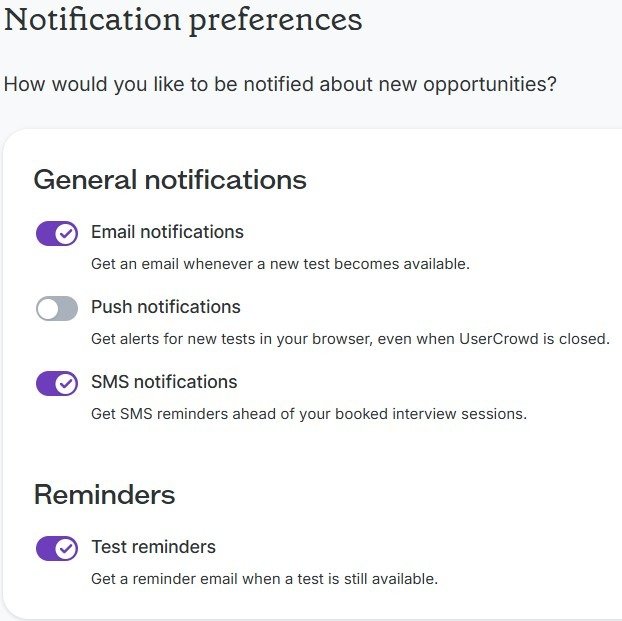
Turn on test reminders too. If a test still has spots, UserCrowd sends a reminder like this one:

Reminders are most useful for tests with lots of open spots. Push notifications are optional. I have them off because I already get the emails.
6. Refresh the Dashboard Instead of Waiting for Emails
This is the tip most people miss. The emails lag. I’ve refreshed the UserCrowd website, seen a new test, then checked my email and the email still wasn’t there. It usually shows up about a minute later.
That minute matters. Some of the short plain tests are already taken by the time I click the link in the email. If you have UserCrowd open, refreshing the dashboard is the faster way to catch them.
7. Grab the Short Tests First
In those 17 days, 22 of my 55 test emails were for tests that took 2 minutes or less, like $0.20 for 1 minute or $0.40 for 2 minutes. Those are the ones that disappear first, because they’re quick and anyone can do them.
The longer desktop tests, like $4.20 for 15 minutes, usually stay open longer. So when you see a short one, take it right away.
Every test email I got listed at least $12 an hour, so you don’t need to sort by pay like on Prolific. Just pick the tests that fit your time.
8. Keep Your Rating High With 2–3 Sentence Answers
Your rating is the main thing that decides how many tests you get. A real person on UserCrowd’s quality team reviews your answers. Detailed answers raise your rating. Rushed, one-word answers lower it.
I started at 5 stars, and the lowest I’ve ever been is 4.8. I write 2 to 3 sentences per answer. That’s enough to be thorough and get my point across.
UserCrowd shows a tip on your dashboard each time you refresh. These two are about answer quality:
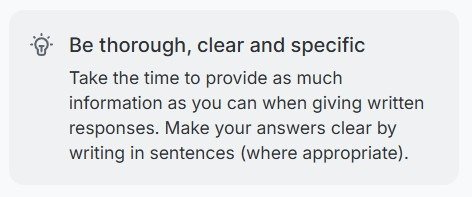
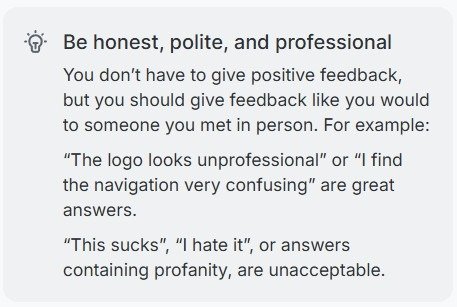
You don’t have to be positive. “The navigation is confusing” is a great answer. “This sucks” isn’t.
9. Use Your Own Words: No AI, No Translation Apps
UserCrowd bans using AI tools for written answers. Researchers want your real thoughts, and there’s rarely a right or wrong answer.
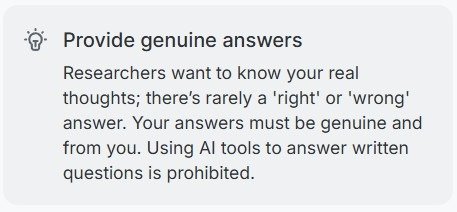
You also have to answer in the same language as the question, and you can’t use translation apps:
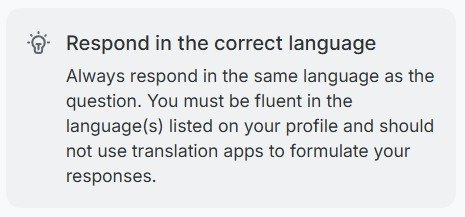
Breaking these rules is the fastest way to tank your rating, which means fewer tests.
10. Download the App for Phone-Only Studies
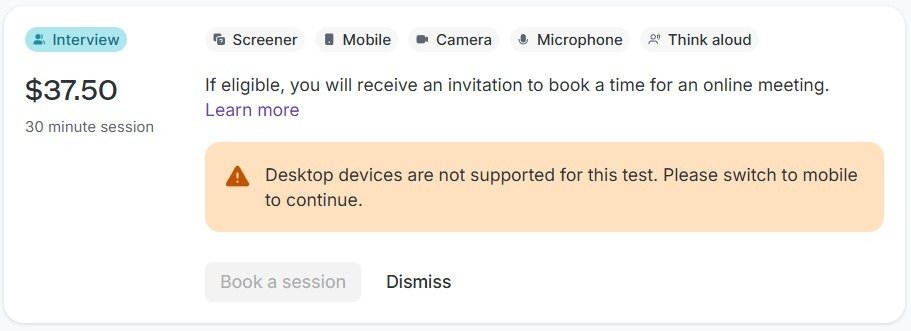
Some UserCrowd studies only work on a phone. Some are even app-only. In my 17 days of emails, 4 tests were mobile or app-only, and this $37.50 interview won’t let you book from a desktop:
UserCrowd has an iOS and Android app, and they emailed me about it:
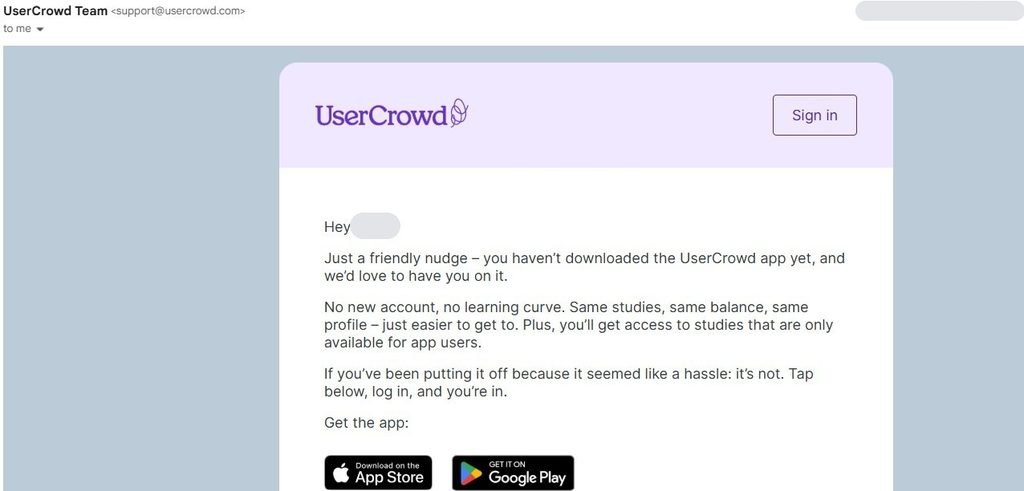
Same account, same balance, same profile, plus access to app-only studies. I only do tests on my laptop, so I miss these. If you want every test you can get, download the app.
Unlock Higher-Paid Studies
Two more options unlock better-paying studies. I haven’t used either yet, but you should know about them.
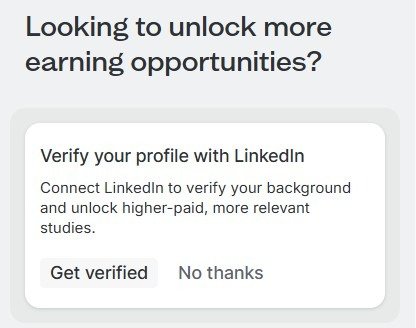
Verify your profile with LinkedIn. UserCrowd says connecting LinkedIn unlocks higher-paid, more relevant studies. I haven’t connected mine yet, but I plan to.
Say yes to interviews. I get interview invites by email, like this $37.50 one for 30 minutes:
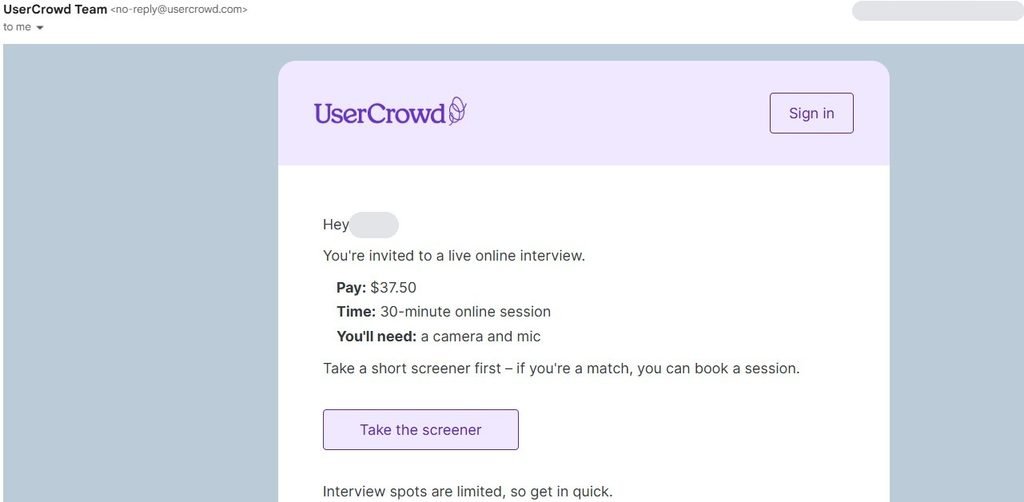
In my 17 days of emails, I got 3 interview invites: two for $37.50 and one for $60.00 (75 minutes). You take a short screener first, and if you’re a match, you book a time. UserCrowd also says an optional second practice test can unlock recorded tests and interviews.
What I Don’t Do
To be transparent, I skip recorded tests and interviews. Mainly it’s time: they’re longer, and I prefer tests I can finish in a few minutes.
I still get plenty of plain tests. But if you’re comfortable on camera, interviews pay $30 to $82.50 per session, which is where the real money on UserCrowd is.
My Verdict: Can You Really Get More Studies on UserCrowd?
Yes. If you want to know how to get more studies on UserCrowd, the biggest difference comes from completing your profile, setting your availability to 24/7 and turning on all three study types, since that decides which tests you’re sent. After that, refresh the dashboard instead of waiting for emails, grab short tests first, and protect your rating with thorough answers in your own words.
Curious what it adds up to? Here’s how much you can make on UserCrowd.
New to UserCrowd? Start with my honest UserCrowd review.
Want even more? Here’s how to get more studies on Prolific, CloudResearch Connect, Qmee and UserCrowd.
FAQ
Why am I not getting tests on UserCrowd?
Usually because your profile is incomplete, your availability is limited, or tests fill up before you get there. Complete all 6 profile sections, set your availability to 24/7, and refresh the dashboard often.
How often does UserCrowd post tests?
Almost every day for me. From September 23 to October 9, 2026, I got at least 55 test emails on 14 of 17 days. My busiest day had 12.
Are UserCrowd email notifications delayed?
In my experience, yes, by about a minute. Short tests can be gone by the time you click the email, so refreshing the dashboard is faster.
How does the tester rating affect how many tests I get?
Higher-rated testers are assigned more tests. Thoughtful, detailed answers raise your rating, and rushed answers lower it.
Can I use AI to answer UserCrowd tests?
No. UserCrowd prohibits AI tools for written answers, and you can’t use translation apps either.
Does UserCrowd have an app?
How much do UserCrowd tests pay per hour?
Every test email I got from September 23 to October 9, 2026 listed at least $12 an hour.
Can you block or skip tests on UserCrowd?
Yes. Every study on your dashboard has a Dismiss button, and you can turn off study types you don’t want in your preferences.
This article is based on my personal experience with UserCrowd. Study availability, pay and features can change at any time.