Want more studies on CloudResearch Connect? I’ve completed 213 approved studies on CloudResearch Connect with zero rejections, and my quality score is 782 with “Priority Access: Preferred”. Connect was my second study platform after Prolific, so I already knew what researchers look for: stay focused on the study and pass the attention checks.
Here are the 10 things I do to get more studies on Connect.
Table of Contents
1. Fill Out Your “About You” Profile
This is the biggest one. Your About You profile tells Connect who you are, and researchers use it to decide who sees their studies. The more they know about you, the more studies you’ll qualify for.
I’ve answered 345 out of 354 questions, about 97% of my About You section is complete.
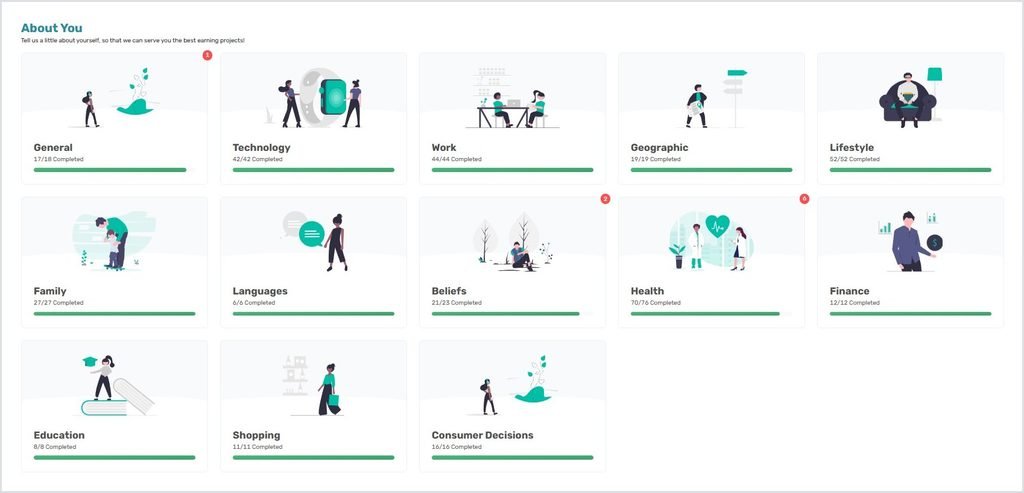
Here’s how it pays off. I got this “Investing Survey” because I filled out my Finance section:

And I got this “Employment Survey” because I filled out my Work section:

If I’d skipped those sections, I would never have seen these studies.
2. Keep Your Profile Updated
Your profile isn’t a one-time thing. When something in your life changes, update it. For example, I updated mine when I graduated.
Keep your location accurate too. Right now I have a study on my dashboard that’s only for people in California. It showed up because I answered the state question in my Geographic section.

3. Turn On Browser Notifications
Turn on “Enable browser notifications” on your dashboard. This is the main way I find out about new studies.
When one study is posted, the pop-up shows how much it pays per hour. If the rate is low, you can ignore it without even opening Connect.
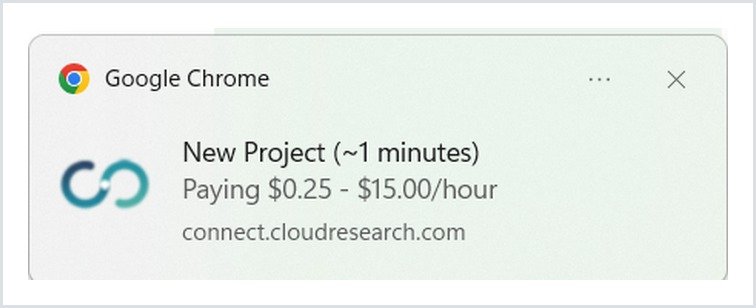
When two or more studies are posted at once, the pop-up just shows the number of the new studies.
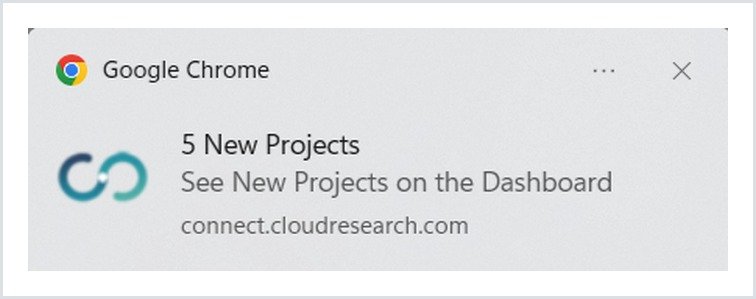
If the pop-ups don’t show up, make sure notifications are allowed for Connect in your browser. Here’s how to turn on notifications in Chrome.
4. Keep the Tab Open and Scan Your Dashboard
I keep the Connect tab open so I can jump into a study as soon as I get a notification. You don’t have to rush, though. Studies on Connect sit for a while before filling up.
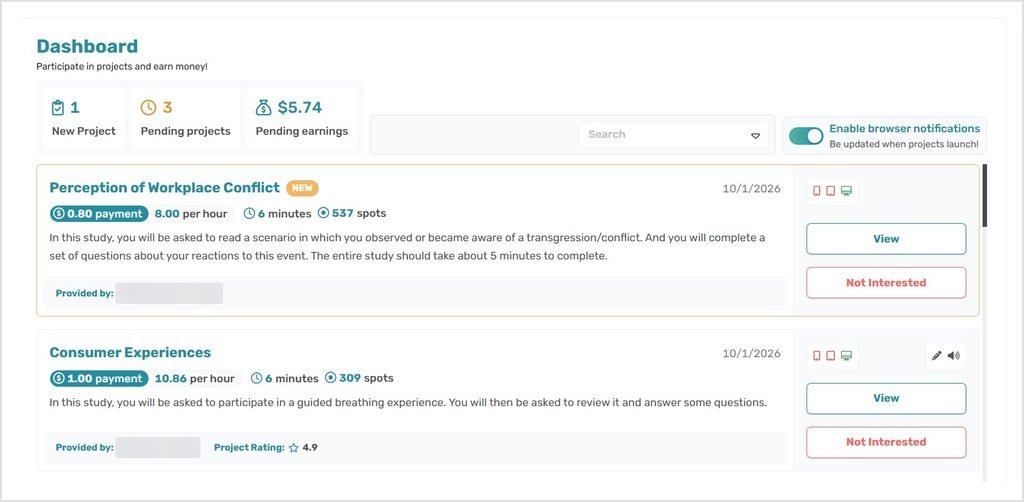
Connect doesn’t let you sort studies by pay per hour, so I scroll through the dashboard and check each study’s hourly rate myself. A few things help:
- The “Not Interested” button dismisses studies you don’t want to take, so your dashboard stays clean. As far as I’ve noticed, it doesn’t affect your score. You can also block the researcher when you dismiss a study, but only do that for researchers you’d always skip.
- The device icons show whether a study works on a computer, phone or tablet. I do most of my studies on my laptop, but some require a phone, and you can take those on your phone.
5. Check in the Morning
In my experience, more studies show up during the morning hours. If you only check once a day, make it the morning.
6. Keep Your Quality Score High
Your quality score decides how early you’re notified about new studies. The higher it is, the earlier you get access.
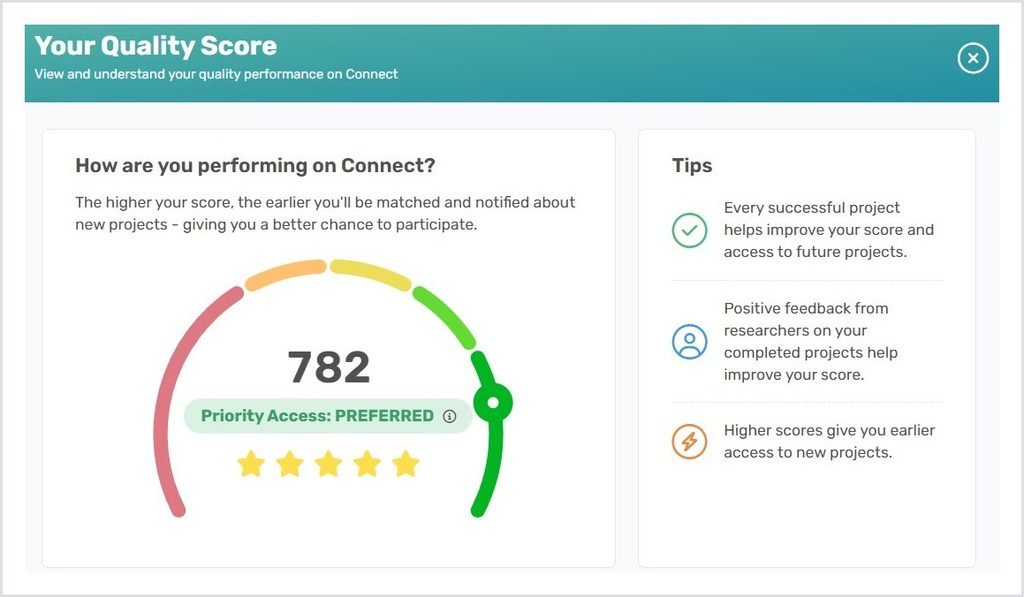
My score is 782, with “Priority Access: Preferred”. Every study I complete successfully matches me to more studies, and positive feedback from researchers boosts my score even more. Since I get earlier access, that’s likely why studies sit on my dashboard longer: other people may not have access to them yet.
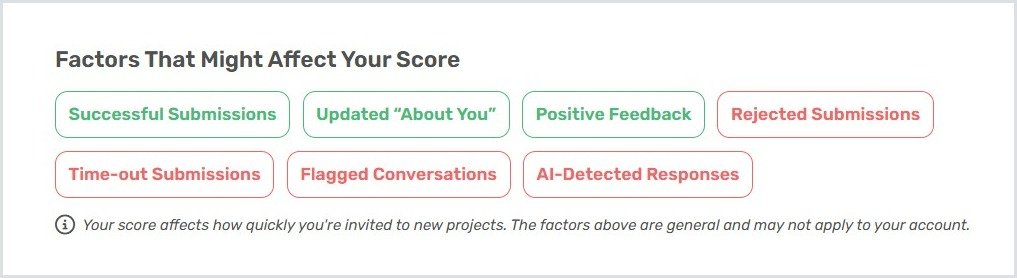
Connect also lists the factors that can raise or lower your score:
The next three tips cover how I keep my score high.
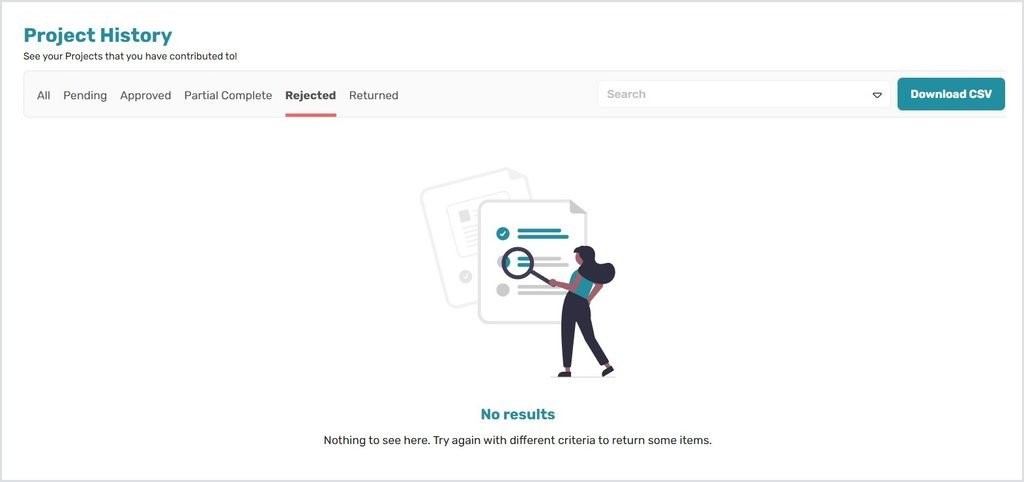
7. Never Get Rejected: Pass the Attention Checks
Rejections are what hurt your score the most. When you submit a study, it goes into review. If you failed an attention check, it comes back rejected.
Read every question carefully, and pay attention the whole time. That’s how I have zero rejections.
8. Use Your Own Answers, Not AI
This one is very important. “AI-Detected Responses” is one of the factors that lowers your score. Researchers want your real opinions, so always write your own answers.
9. Return Studies Instead of Letting Them Time Out
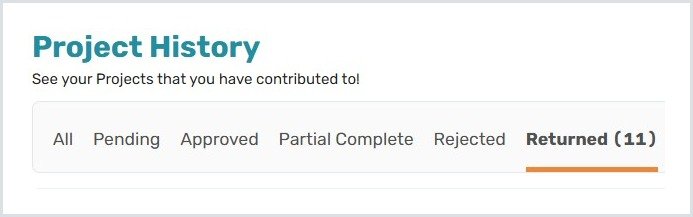
Every study has a time limit. If something comes up in real life and you can’t finish, return the study instead of letting it time out. “Time-out Submissions” lowers your score, but returning doesn’t.
I’ve returned 11 studies and haven’t been penalized.
10. Don’t Skip Studies You Might Be Screened Out Of
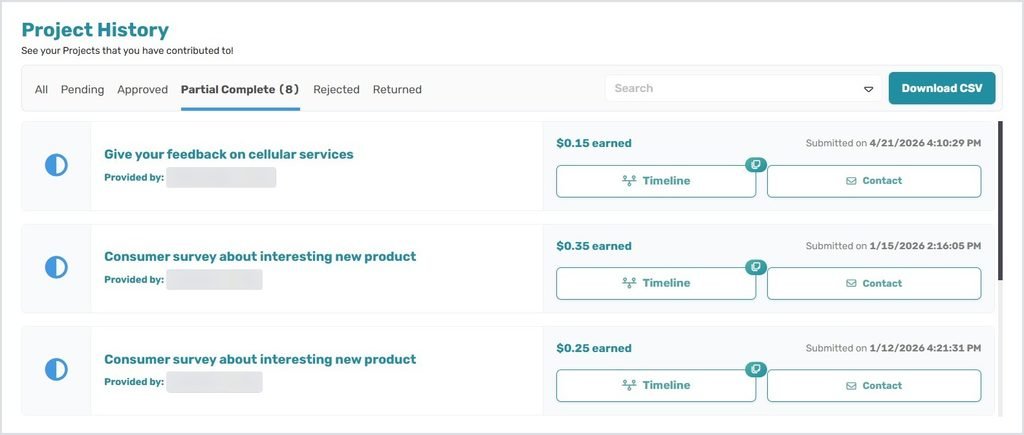
Some studies screen you out if you don’t fit what the researcher is looking for. On Connect, you still get partial pay for your time when that happens, so it’s worth trying.
One Option I Skip: $0.25 Surveys
In the About You section, Connect asks if you want to take extra 8-minute surveys for $0.25 each. They’d always be available, on top of regular studies.
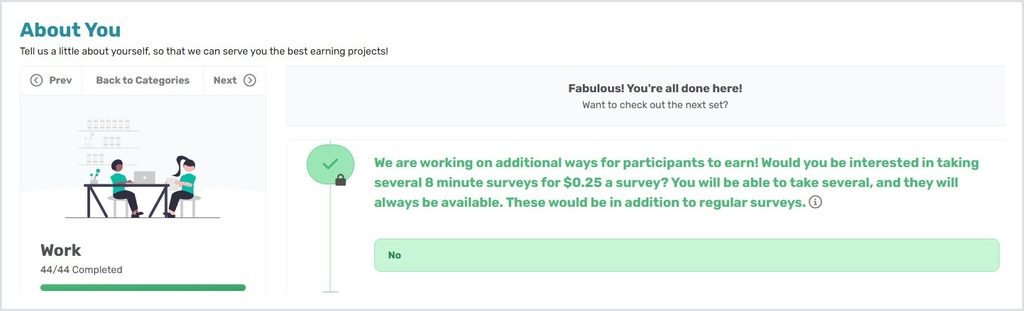
I answered No, because $0.25 for 8 minutes works out to about $1.88 an hour, which is extremely low. But if you just want more studies, you can say Yes.
Want to know what studies actually pay? See my full breakdown of how much you can make on CloudResearch Connect, including pay per study, pay per hour and my earnings by month.
Want to see your own numbers? Upload your Project History to my CloudResearch Connect earnings calculator.
My Verdict: Can You Really Get More Studies on CloudResearch Connect?
Yes. The biggest difference comes from filling out your About You profile, since that decides which studies you qualify for. After that, turn on browser notifications, check in the morning, and protect your quality score: no rejections, no timeouts, and no AI answers.
Want even more? Here’s how to get more studies on Prolific, CloudResearch Connect, Qmee and UserCrowd.
New to Connect? Start with my CloudResearch Connect review.
FAQ
How do I get more studies on CloudResearch Connect?
Fill out your About You profile, keep it updated, turn on browser notifications, and keep your quality score high by avoiding rejections and timeouts.
What is the CloudResearch Connect quality score?
It’s a score that decides how early you’re notified about new studies. Successful studies, positive feedback and an updated profile raise it. Rejections, timeouts, flagged conversations and AI-detected responses lower it.
Does returning a study hurt your score?
In my experience, no. I’ve returned 11 studies without being penalized. Letting a study time out does hurt your score.
Does the “Not Interested” button affect your score?
Not as far as I’ve noticed. It just hides the study from your dashboard.
When do the most studies show up on Connect?
In my experience, during the morning hours.
Can you block researchers on CloudResearch Connect?
Yes. Click “Not Interested” on a study, and a pop-up appears with an option to block the researcher. Once you block them, their studies won’t show up on your dashboard anymore. Since blocking means fewer studies, save it for researchers you’d never take a study from, like ones that always pay too little.
How do I get notified about new studies on CloudResearch Connect?
Turn on “Enable browser notifications” on your dashboard. You’ll get a pop-up whenever a new study is posted, and for single studies it even shows the pay per hour.
This article is based on my personal experience with CloudResearch Connect. Study availability, pay and quality score factors can change at any time.