If you’re looking for an easy way to save money on gas, this is the card I use. In this PayPal Debit Card review, I’ll show you how I get 5% cash back on gas, how the monthly categories work, what I’ve earned since June 2025, and the downsides to know before you sign up.
Table of Contents
What is the PayPal Debit Card?
The PayPal Debit Card is a free debit Mastercard linked to your PayPal balance. There’s no monthly fee and no credit check, and you can use it anywhere Mastercard is accepted, including at gas pumps.
Its best feature is the rewards: each month, you pick one category and earn 5% cash back on up to $1,000 of spending in it. That’s up to $50 back per month.
New to debit cards? Start with my guide on how to get your first debit card.
The 5% cash back categories
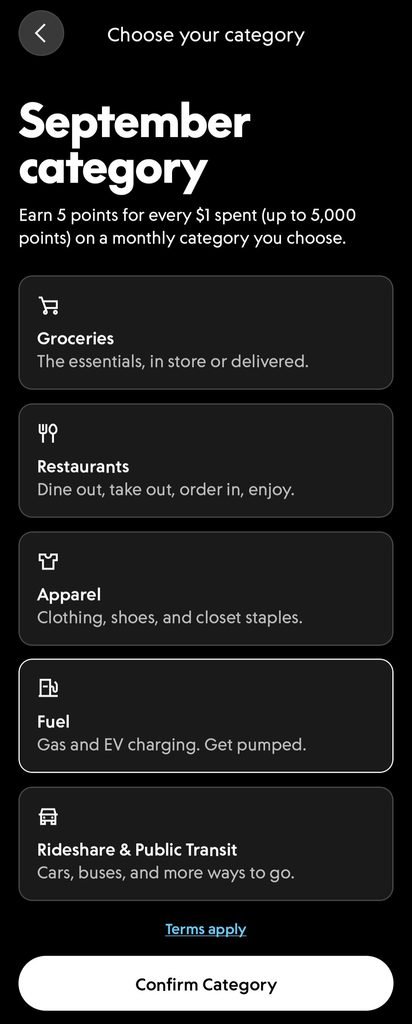
You can choose one of these each month:
- Fuel: gas and EV charging
- Groceries: in store or delivered
- Restaurants: dine in, takeout, or delivery
- Apparel: clothing and shoes
- Rideshare & Public Transit: rideshares, buses, and more
PayPal also adds temporary or seasonal categories from time to time, like tech during the holiday season.
I mainly choose Fuel. I haven’t tried the other categories yet, but I plan to.
How to choose your category
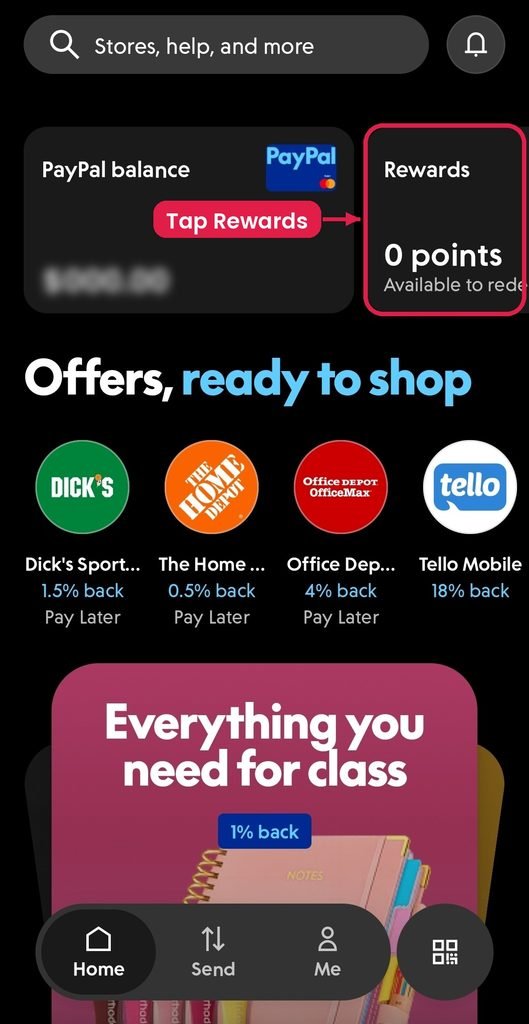
Step 1: Open the PayPal app and tap Rewards.
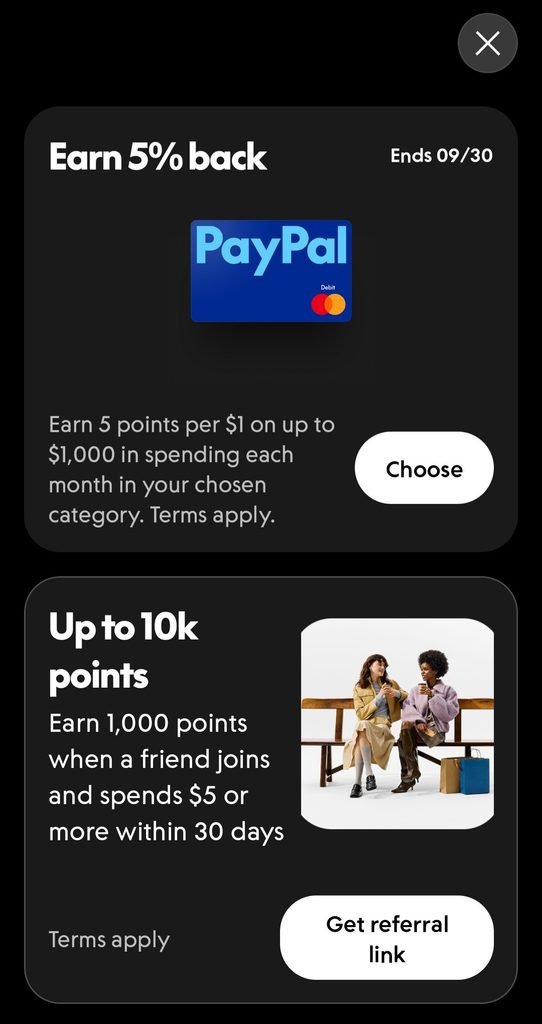
Step 2: Tap Choose on the “Earn 5% back” offer.
Step 3: Pick your category and tap Confirm Category.
Once it’s set, you’ll see a confirmation showing your category and when it ends.
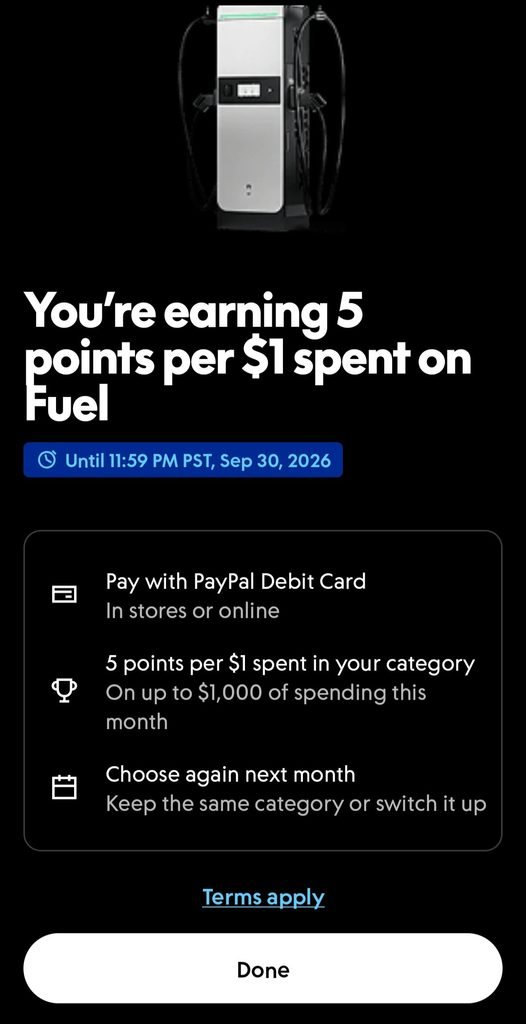
Important: you have to choose a category every month. It doesn’t carry over, and purchases made before you choose don’t earn the 5%. PayPal sends an email reminder on the 1st of each month.
How I got started
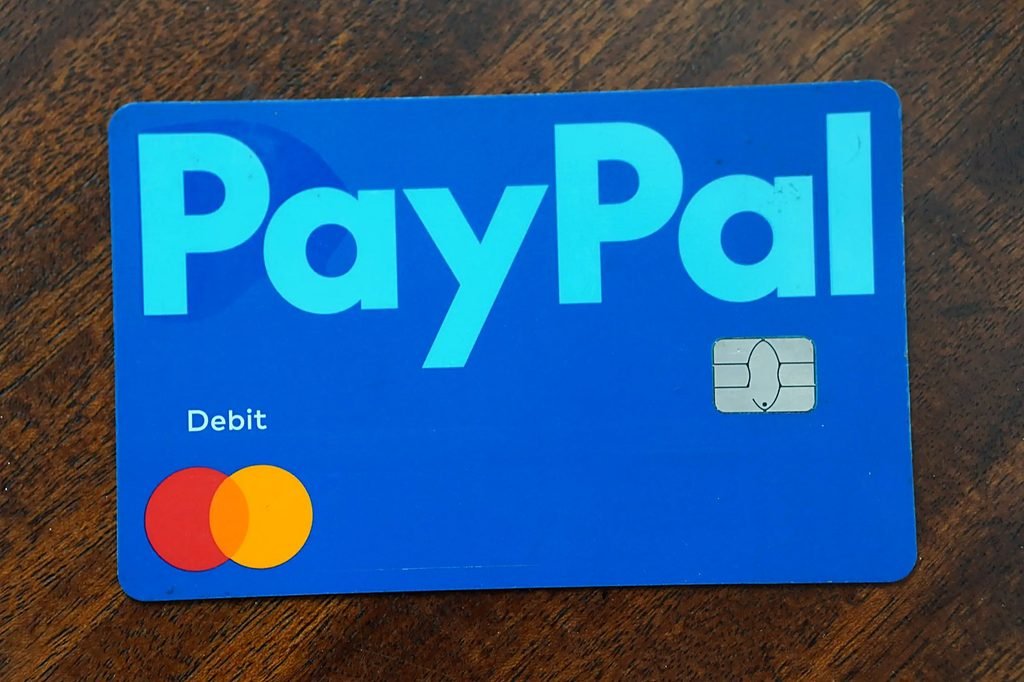
I got the PayPal Debit Card in May 2025. It arrived around May 29, so I started using the 5% Fuel category in June 2025.
How Much I’ve Saved on Gas
Your rewards come as PayPal points. You get 5 points for every $1 you spend, and every 100 points equals $1. For example, if you spend $40 on gas, you get 200 points, which equals $2 back.
Here are some real fill-ups from my account:
- Jun 11: 189 points ($1.89 back)
- Jun 13: 147 points ($1.47 back)
- Jun 14: 130 points ($1.30 back)
- Jun 16: 143 points ($1.43 back)
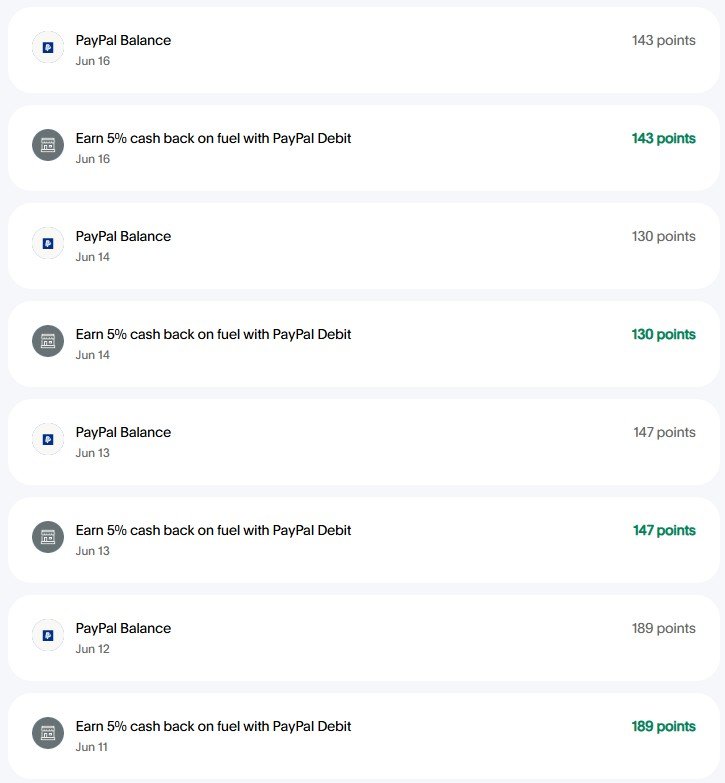
In my experience, points show up quickly, usually by the next day. I redeem them to my PayPal balance and use them toward my next fill-up or anything else I want to buy.
How I fund the card
The card spends from your PayPal balance, so you need money there first. I fund mine with my Prolific earnings, which already land in PayPal, and top it up from my linked bank when needed. (If you earn in GBP like I do, here’s how I convert it to USD on PayPal.)
PayPal also offers auto reload, which adds money from your bank weekly, monthly, or when your balance gets low.
Bonus: it works with Upside too
The PayPal Debit Card works like any other debit card, so it also works with cash back apps like Upside. I claim an Upside offer, then pay with my PayPal card, and get cash back from both on the same fill-up. It’s always worked for me, and it adds up.
The downsides of the PayPal Debit Card
- You have to choose a category every month. If you fill up on the 1st before choosing, that purchase won’t earn the 5%.
- Only one category per month. You can’t switch mid-month, which is why I haven’t tried other categories yet.
- It’s a debit card, not a credit card. It spends straight from your PayPal balance, so if your balance runs low, your card can get declined at the pump. You can avoid this with auto reload, which automatically adds money from your bank when your balance drops below an amount you set.
- The $1,000 monthly cap. That’s up to $50 back a month. It hasn’t been an issue for me, since I don’t spend that much on gas.
- Some purchases don’t earn the 5%. Gift cards, purchases split with another card, refunds, and businesses coded outside your category (card networks tag each business with a category code, and that code decides what counts) are all excluded. I’ve personally never had a fuel purchase not count.
PayPal Debit Card Review: Is It Worth It?
Overall, my PayPal Debit Card review comes down to this: yes, especially for gas. 5% cash back on fuel is more than most debit cards offer, and there’s no monthly fee or credit check. The average U.S. household spent about $2,411 on gas in 2024, according to the Bureau of Labor Statistics. At 5% cash back, that’s about $120 a year cash back just for paying with this card. It’s a great card for everyday drivers, and pairing it with a cash back app like Upside saves you even more.
It’s not worth it if you won’t remember to choose your category each month, or if you’d rather not keep money in your PayPal balance.
If you want to try it, you can get the PayPal Debit Card here.
Where does my PayPal balance come from? Partly from the PayPal Cashback World Mastercard, which pays 3% cash back with PayPal checkout. I transfer that cash back to my PayPal balance and spend it on gas with this card.
Want to see your savings? Try my gas cash back calculator.
PayPal Debit Card FAQ
How does the PayPal Debit Card 5% cash back work?
Choose one category in the PayPal app each month, pay with the card, and earn 5 points per $1 on up to $1,000 of spending in that category.
What are the PayPal Debit Card categories?
Fuel (gas and EV charging), Groceries, Restaurants, Apparel, and Rideshare & Public Transit.
How much are PayPal points worth?
100 points = $1. You can redeem them to your PayPal balance.
Can I change my category mid-month?
No. You pick one category per month and can choose again next month.
Does the PayPal Debit Card work with Upside?
Yes. It works like any debit card, so you can claim an Upside offer and pay with it to earn cash back from both.
Does the PayPal Debit Card need a credit check?
No. It’s a debit card linked to your PayPal balance, with no credit check and no monthly fee.
Does the PayPal Debit Card give cash back on gas?
Yes, the PayPal Debit Card gives 5% cash back on gas. Choose Fuel as your category at the start of each month, and you earn 5% back on up to $1,000 in monthly spending. It also covers EV charging.
This isn’t financial advice, just my personal experience. Rewards and categories can change, so check PayPal’s terms before you sign up.